
Frostpunk 2 Technocrats Guide: Abilities, Utopia & Tips
Master the Frostpunk 2 Technocrats: their Zeitgeist, Optimise Research and Maintenance perks, Fractured Utopias skill tree, and tips to win them over.
Jump to

Calculate, plan, adjust, repeat. If that slogan sounds like your ideal city, the Frostpunk 2 Technocrats are the faction you'll want on your side. They can push your research into overdrive, cut material upkeep, and turn rows of humming machinery into a working utopia. They also come with a fierce rival, some unsettling social ideas, and a skill tree that rewards careful planning. Here's how they work and how to get the most out of them.
Who the Technocrats Are
The Technocrats are a Utopia Builder faction for people who believe everything can and should be proven. To them, technological progress is the only reliable path to prosperity. Slow, methodical progress still counts. That prosperity is meant for the whole City, not a privileged few. Their algorithms point to equality as the only way a society can grow.
That logic doesn't stop at engineering. The Technocrats apply the same cold calculation to social order, including marriage and childbearing, even if it means tearing up old traditions. The propaganda broadcasts drive the point home. Citizens are told to tread softly near calculating nodes, to trust the algorithm, and that machines are irreplaceable while people are not.
| Detail | Technocrats |
|---|---|
| Zeitgeist | Progress, Equality, Reason |
| Source communities | Thinkers (Reason), Machinists (Progress), Labourers (Equality) |
| Opposing faction | Icebloods |
| Active ability | Optimise Research |
| Passive perk | Maintenance Optimisation |
The Technocrats and the Icebloods were also the two factions featured in the Frostpunk 2 Beta.
Faction Abilities: Optimise Research and Maintenance Optimisation
The Technocrats give you two bonuses. Both need good relations with the faction, meaning a gold bar above Neutral:
 Image: Steam / 11 bit studios
- Optimise Research (active): Research speed is extremely increased.
- Maintenance Optimisation (passive): Materials demand is decreased.
Optimise Research stacks with the Rush Researchers district action, so fire both at once to clear a long idea quickly. On the original numbers, a 24-week research dropped to 14 weeks with Optimise Research alone and to 10 weeks with Rush Researchers added.
Keep in mind that the Breach of Trust expansion update reduced the research speed bonus from Optimise Research. The same patch also nerfed Rush Researches and the first two Research Institutes. The ability is still worth pressing on cooldown, but it no longer cuts research times as deeply as it did at launch.
The passive matters more than it looks. Keeping the Technocrats happy is a cheap way to stretch your stockpiles, especially if you pair it with the Maintenance Duty law.
How to Spawn the Technocrats and Win Them Over
In Utopia Builder, factions spawn from the direction your city leans. Push into the Progress, Equality, and Reason Cornerstones through laws, buildings, and research, and the Technocrats will eventually form. Expect the Icebloods to appear in opposition soon after.
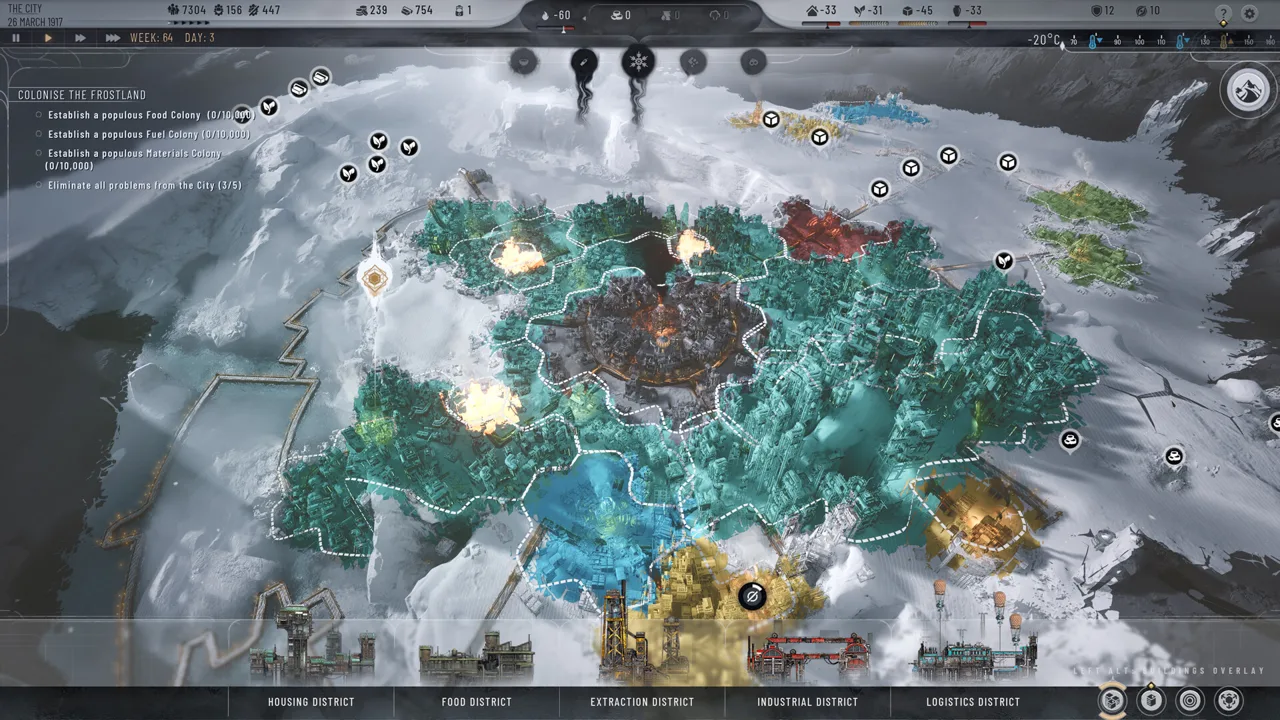 Image: Steam / 11 bit studios
Once they're in the Council, use these tools to keep relations high:
- Promote them in the Council. They gain members and seats, relations improve greatly, and their fervor drops. A bigger Technocrat faction also gives them more influence over your city.
- Make promises that match your plans anyway, such as research they want. Every promise you keep raises favor.
- Grant agenda when their next proposal suits you. You get the relationship boost immediately, whether or not the vote passes.
- Fund their projects with Heatstamps when you need a quick bump.
When relations max out and they become devoted, the Technocrats will rally for you. You can then pick bonuses such as extra workforce or Heatstamps. You can also raise funds from a devoted faction, and the relationship hit is easy to rebuild with promises.
Fractured Utopias: The Technocrat Skill Tree
The Fractured Utopias DLC launched on December 8. It gave every Utopia Builder faction its own skill tree, hub, housing variant, and traits, and it added the option to force your starting faction. The Technocrat tree is built around compute, a resource produced by the faction's hub, the Calculating Node.
 Image: Steam / 11 bit studios
| Node | What it does |
|---|---|
| Calculating Node | The Technocrat hub. Generates compute for optimizing districts. |
| Optimise Inputs / Outputs | Spend 5 compute on a district to cut its workforce needs or boost its output. |
| Defrag Finances | Converts compute into Heatstamps. |
| Replicate Core | Generates Cores from compute. |
| Generator Shelters | Packs people around the Generator for 75 shelter, with no workers needed, but tension rises a lot. |
| Calculating Researchers | Staff Research Institutes with savants: 150 workforce for 5 compute. |
| Audit Citizens | A Technocrat action that increases efficiency. |
| Accountability Display | Builds on audits. Randomly lowers workforce, goods, or food demand, or raises tension. |
| Calculation Overclocking | Nodes output more compute and boost central district efficiency, but optimizing districts costs far more compute. |
The tree also unlocks two Technocrat laws:
- Childhood Aptitude Tests: Research speed and the share of active workers go up, while Heatstamp income marginally decreases.
- Civic Index: Support from all communities drops significantly, but tension drops significantly too. Relation-worsening effects are weakened for every community except the Icebloods.
Calculating Node Placement
Place Calculating Nodes beside the central district. Once you unlock Calculation Overclocking, each neighboring node raises central district efficiency. Patch 1.5.2 fixed a bug that stopped the hub's proximity effect from working on the Main District on the Hanging Rock and Dreadnought maps. Patch 1.5.4 changed Optimise Inputs so it no longer lowers the output of the Automaton Factory.
Technocrat Housing
Converted Technocrat housing is machine-adjacent. Its residents love falling asleep to grinding machinery. Place these districts beside industry to raise efficiency in neighboring districts and improve relations at the same time.
Enacting the Technocrat Utopia
To enact the Technocrat Utopia, you need to complete this checklist:
- Unlock the Technocrat Utopia tree nodes
- Pass the Childhood Aptitude Tests and Civic Index laws
- Build eight Calculating Node hubs
- Build five Automated Workforce Factories
- Adapt your housing districts to the Technocrats
The Cornerstone abilities fit this path well. Automaton Primacy (Progress) hands most labor to machines and unlocks Release the Swarm, which raises efficiency and greatly reduces squalor. Leveling (Equality) seizes goods and Heatstamps from the privileged. The Algorithm (Reason) can optimize research speed or population growth, or regulate disease and hunger. All three line up with the Technocrat Zeitgeist, so you'll reach them naturally on this route.
The Coal Liquefactor turns coal into oil, so research it early on maps without oil deposits.
Managing the Icebloods Rivalry
The Icebloods value Adaptation, Merit, and Tradition, which is the exact opposite of every Technocrat value. A Technocrat city will push them toward radicalization, and they can start with high fervor almost immediately. If their relations stay hostile for too long, expect protests, strikes, and eventually a civil war that damages districts and kills citizens.
To keep them in check:
- Build watchtowers and prisons early so you have guard squads ready for protests.
- Promote the Icebloods occasionally to lower their fervor, even if they keep resenting your direction.
- Use their Cutthroat Frostbreaking node. It frostbreaks unlimited tiles at no Heatstamp cost, at the price of injuries, which keeps your Heatstamps free for Technocrat projects.
- If civil war breaks out, push for a speed victory.
Tips for Running a Technocrat City
- Prioritize Replicate Core. Cores feed Generator upgrades and pressurized coal liquefactors.
- Stack research buffs. Build up to about four Research Institutes, after which returns diminish. Then layer Optimise Research and Rush Researchers on top. Childhood Aptitude Tests adds even more research speed.
- Treat Generator Shelters as a stopgap. The 75 shelter can save lives during a cold snap, but the tension cost adds up quickly.
- Use Audit Citizens often. The efficiency jump is substantial.
- Watch your Heatstamps. Calculating Nodes and Automated Workforce Factories are expensive. Raise funds from communities you don't need on side, and save demands for emergencies.
- Expect some uncomfortable buildings. The Panaceum Factory, a Technocrat-suggested industrial building, extracts health-promoting nutrients from corpses. Check each building and law before you pass it.
You can grab Fractured Utopias and the rest of the expansions on the Frostpunk 2 Steam store page.
FAQ
Are the Technocrats in Frostpunk 2's story campaign?
No. The Technocrats belong to Utopia Builder. The story campaign uses its own factions: the Stalwarts, Pilgrims, Faithkeepers, and Evolvers.
Do I need Fractured Utopias to play as the Technocrats?
No. The Technocrats, their Optimise Research ability, and the Maintenance Optimisation perk are all in the base game's Utopia Builder. Fractured Utopias adds the Technocrat skill tree, the Calculating Node hub, Technocrat housing, and the faction Utopia.
Why can't I use Optimise Research?
The ability only unlocks when your relations with the Technocrats are good, meaning above Neutral. Raise favor with promises, granted agendas, or promotions, and the ability will become available.
Continue with
 Frostpunk 2 Factions Guide: All 12 Factions and AbilitiesLearn how Frostpunk 2 factions form, what each one believes, and which abilities they unlock in Story Mode and Utopia Builder. Then win over the Council.
More in Factions
See all Factions
Continue exploring
Frostpunk 2 Fight the Cold vs Accept the Cold: Which Path?
Frostpunk 2 fight the cold vs accept the cold explained: how each choice changes your Generator fuel, factions, and Frostland. Choose your path wisely.

Frostpunk 2 Laws: Council Votes and Early Law Choices
Master Frostpunk 2 laws with Council voting tips, negotiation strategies, early law choices, and the requirements for unlocking powerful Rule abilities.
Join the community
Official channels for news, updates and player help: